
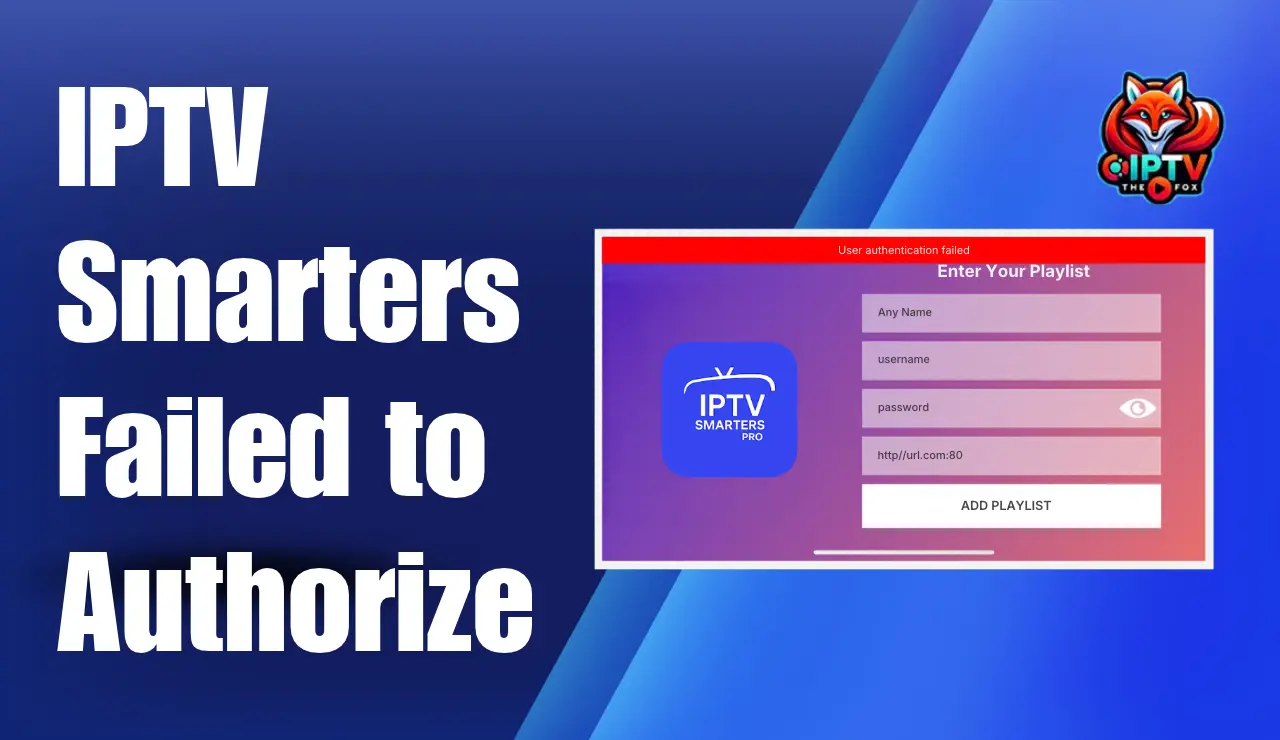
IPTV Smarters failed to authorize? This message usually means the app could not complete a login check with your IPTV service's server. The reason might be a mistyped username or password, an incorrect server URL, an expired subscription, an unavailable host, or a network connection problem. The good news is that you can narrow down the cause without repeatedly reinstalling the app.
This 2026 troubleshooting guide covers IPTV Smarters Pro, Smarters Player Lite, Xtream Codes API logins, M3U playlists, Android TV, Fire TV Stick, Samsung and LG Smart TVs, and mobile devices.
Quick answer: What to check first
- Compare your login details with the original message from your service provider. Check capitalization and hidden spaces.
- Use the correct login option. Select Xtream Codes API for a server URL, username and password; select M3U playlist for a complete M3U URL.
- Verify the server address including the correct protocol and port supplied by your provider.
- Check subscription status and whether your plan allows another simultaneous connection.
- Try another connection such as mobile data instead of home Wi-Fi to isolate a network problem.
Important: IPTV Smarters is a player, not the company that supplies your television channels or subscription credentials. Account activation and server-side authorization generally need to be handled by the service provider.
What does “IPTV Smarters failed to authorize” mean?
When you sign in, your IPTV app uses the information you entered to communicate with a server. The app must reach the relevant endpoint and receive an acceptable response before it can load your playlists, live TV channels, and video-on-demand libraries.
An authorization error does not always prove that your username or password is wrong. A server outage, a blocked connection, a certificate issue, or an app-specific restriction may present a similar error message. Read the exact text displayed before choosing a fix.
| Error message | Likely area to investigate | First action |
|---|---|---|
| Failed to authorize / Smarters failed to authorize | Account details, server, or app login | Recheck the login type and credentials |
| Authorization failed for above host | Displayed host or its authorization response | Compare the displayed server URL with the provider's URL |
| Invalid username or password | Credentials or account validity | Confirm the username, password and subscription status |
| Unable to connect / Network error | Internet, DNS or server reachability | Test another network and check host availability |
| Provider DNS registration required | App/provider registration compatibility | Contact the provider with the complete error text |
| Retry / Please try again | Temporary connection, timeout or app issue | Restart the app and test connectivity |
How to fix IPTV Smarters failed to authorize: 10 practical fixes
1. Verify your username and password
Open your subscription confirmation or private customer dashboard. Compare the username password combination character by character. Usernames and passwords can be case-sensitive. Watch for a trailing space pasted from an email or messaging app, and avoid confusing the number 0 with the letter O.
For safety, enter your credentials only into a trusted IPTV app. Never post login details publicly in a troubleshooting forum or screenshot.
2. Select the correct Xtream Codes API or M3U login method
In IPTV Smarters Pro, an Xtream Codes API login commonly needs a profile name, server URL, username and password. A playlist login requires the complete M3U URL. These formats are not interchangeable.
For example, a fictional Xtream login might have a server address like https://example.com:1234, with the username and password in separate boxes. A complete M3U playlist URL typically contains a longer path and account parameters. Do not paste the full M3U link into the Xtream server URL field.
3. Correct the server URL and port
If you see authorization failed for above host, write down the host shown on the screen and compare it with the address your provider gave you. Check http:// versus https://, missing characters, unusual spaces and any explicitly required port number.
Do not randomly append :80, :8080 or :8000. Those ports only work if the provider actually serves the login endpoint there. Equally, avoid removing slashes from a valid https:// address merely because an online comment recommends it. Ask your provider for the current supported server URL if it has changed.
4. Confirm your subscription status and connection limit
An expired subscription, inactive account or account restricted by your provider can trigger authorization failures. Check the renewal date, payment status, and maximum number of concurrent connections. If your service limits simultaneous viewing, stop playback on other devices and retry.
Signing out on one device may not immediately clear a server-side session; your provider may need to reset it. An account may be valid while the server temporarily refuses additional connections.
5. Restart IPTV Smarters and clear its cache
Fully close the IPTV app and restart the device. On many Android TV and Fire TV devices, go to Settings → Apps → IPTV Smarters → Force stop → Clear cache. Menu wording may vary. Open the app again and retry.
If that fails, consider clearing app data or reinstalling—but save your login details first, because clearing data removes local profiles, preferences, or playlists. Smart TV apps may use a different menu for removing and reinstalling an app.
6. Update the player from a trustworthy source
An outdated IPTV Smarters Pro build may have compatibility issues or bugs. Check the official download information for your exact player and your device's app store. Avoid unofficial APK files that claim to remove authorization checks or ask for account credentials on unrelated websites.
Also confirm your operating system is supported. Different Smarters-branded apps may have different developers, licensing arrangements or login requirements.
7. Test Wi-Fi versus mobile data
Connect your phone to mobile data, or temporarily connect your TV or streaming stick to a phone hotspot, then try the same login. If it works through the hotspot but not through home Wi-Fi, investigate the router, DNS resolution, network filtering or an internet provider restriction.
This test does not by itself prove your ISP is blocking IPTV traffic; router configuration and DNS faults can produce the same result. Restart the router and ask the provider whether the host is reachable. Only use network services and connections in accordance with applicable law and service terms.
8. Check device date, time and secure connections
A device with an incorrect date or time can fail to validate a secure HTTPS certificate, sometimes appearing as a generic authorization error. Enable automatic date and time, restart the device and try again. If you are using a VPN, disconnect it briefly for a controlled test: some servers restrict shared VPN IP addresses, while others behave differently across networks.
9. Try the same account in another compatible player
Where permitted by your service provider, use the same valid credentials in a second trusted player that supports Xtream Codes or M3U. This is a useful diagnostic test, not a guarantee. If one app accepts the credentials and another does not, investigate the original app's configuration or a provider-specific compatibility requirement.
If both players fail on different devices and networks, contact your provider to check the server and the account. Never share a working subscription beyond its permitted connection limit.
10. Contact your IPTV service provider with useful diagnostic details
If the error persists, send your provider the exact message, player name and version, device model, approximate time the issue began, whether you used Xtream Codes API or an M3U URL, and which tests succeeded or failed. Share your username only through the provider's secure support channel when necessary; never send your password in a public message.
For IPTV THE FOX account holders, visit the private customer dashboard to open a support ticket. You can also consult our IPTV installation tutorials for compatible apps and setup steps.
Special case: “Authorization failed! Ask your TV service provider to get their DNS registered”
Some Smarters player versions display a message about the provider registering its DNS with the app provider, occasionally alongside a QR code. This is different from a routine invalid-password error. It may indicate a registration or licensing requirement between that particular app implementation and the service host.
Do not assume that changing your password or router will fix it. Record the exact wording and contact the streaming service and the relevant app developer for the supported registration or player option. The requirement can vary between app builds.
Device-specific fixes for IPTV Smarters Pro
Fire TV Stick and Android TV / Google TV
Confirm the device is online, then force-stop the app, clear its cache and check for updates. Re-enter the server address using the provider's exact format. If a remote keyboard causes repeated typing mistakes, carefully compare each field with the source message.
Samsung Smart TV and LG Smart TV
Samsung TVs generally use Tizen and LG TVs use webOS, so menu paths and available IPTV player apps differ from Android TV. Check whether your exact Smart TV model supports the installed app version. Update the app through the television's store, verify its date and network settings, and contact your provider if a TV-specific host or registration procedure is required.
iPhone, iPad and Android phones
Switch briefly between Wi-Fi and mobile data. Force close the app, check for an update, and compare the credentials again. If you reinstall, ensure your account details are saved beforehand. App availability and branding differ across the Apple App Store and Google Play.
Why IPTV Smarters keeps saying “retry”
A repeated retry prompt often means the player did not complete a request. It could be a timeout, internet interruption, unreachable server, temporary overload, incorrect endpoint or incompatible app configuration. First check whether other websites load, then force-stop and reopen the app, verify the server address, and try another network. If authorization succeeds but individual channels fail, that is a different playback problem that may need a channel- or format-specific fix.
How to tell whether the app, account or network is responsible
| Test result | What it suggests | Next step |
|---|---|---|
| Login fails only in Smarters | Player settings or app compatibility | Update app, clear cache, recheck login mode |
| Login fails in multiple players | Credentials, account or server | Ask provider to verify status and host |
| Login works over mobile data only | Home network, DNS or filtering | Check router, DNS and network configuration |
| Login works on one device but not another | Device settings, app build or connection limit | Compare app settings and active sessions |
| Provider confirms an outage | Server-side issue | Follow official outage guidance |
Frequently asked questions
Why is Smarters IPTV not working?
Possible reasons include incorrect login details, a disconnected or overloaded server, an expired subscription, unsupported app version or an unstable internet connection. Identify the actual error message before troubleshooting.
Why can't I login to IPTV Smarters Pro?
Check your server URL, username, password and whether you selected Xtream Codes API or M3U login. Then verify your subscription is active. If everything matches, ask the provider whether the server is accepting logins.
Why am I unable to connect to IPTV?
Your device may lack internet access, its DNS lookup could fail, or the service host may be unreachable. Try another network, check the app's server address and confirm whether your provider is reporting an interruption.
Why do IPTV Smarters keep saying retry?
The app may be timing out while trying to contact the server or load account data. Restart the app, test connectivity and check for server-side issues. A retry message alone cannot identify the cause.
Is IPTV Smarters legal in the US?
IPTV player software is not inherently illegal in the United States. Legality depends on the source of the streams, required licenses and how the content is accessed or distributed. Using a player does not automatically grant rights to copyrighted TV channels, films or sports broadcasts.
Is my internet provider blocking IPTV?
It is possible, but a login failure does not establish blocking. Compare results over your home connection and mobile data, check the router and DNS, and ask your ISP about network restrictions if necessary.
Can IPTV be traced?
Online streaming can leave network and account records. Service operators and internet providers may be able to observe connection metadata, subject to the technology and applicable law. Neither an IPTV app nor a VPN should be assumed to provide complete anonymity.
What's wrong with IPTV today?
There is no single global IPTV server. Each service has its own infrastructure and status. Check your specific provider's current notices and test whether other internet services work before concluding there is a widespread outage.
Can you get in trouble for having IPTV?
Owning or installing an IPTV player is generally distinct from accessing unauthorized copyrighted streams. Legal consequences depend on the conduct and jurisdiction. In the US, unauthorized redistribution and other infringement can create legal exposure; consult qualified legal advice for a specific situation.
Final checklist: Get IPTV Smarters working again
If you still see failed to authorize IPTV Smarters, start with the account and host rather than repeatedly changing unrelated settings. Verify the correct login method, original credentials, live subscription, approved server URL and connection limit. Next, check the app version, device settings and network. When the same credentials fail everywhere, ask your provider to check the account and server directly.
Need help with an IPTV THE FOX subscription? Open a secure support ticket. If you are setting up a compatible player for the first time, follow the installation center.